Farm data and history

Connect the farm evidence behind every recommendation.

Lab results, field observations, management zones, activities and farm history rarely arrive in one place. SoilBeat turns them into structured farm data and history, so the context behind each decision stays available for analysis, recommendations and follow-up.

Grower inspecting a crop
SoilBeat farm data and history interface
One agronomic picture

How does a connected farm record help my decisions?

Connect soil, plant-sap, tissue and water results with crop history, field observations and completed applications to review a recommendation in context. A shared record helps you investigate conflicting measurements, choose a justified next step with your agronomist and follow the response over time; comparable methods, units and sampling conditions still matter.

See more context

Bring measurements, observations, activities and farm history into the same record.

Spend less time organizing data

Turn reports from different labs and formats into structured information you can work with.

Build on previous decisions

Keep evidence and follow-up available for the next agronomic question.

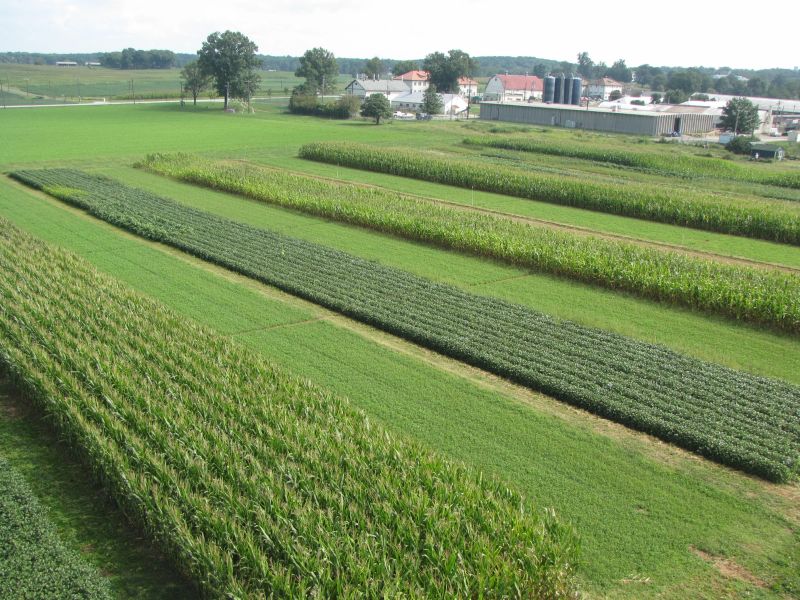
Agricultural field detail
Greenhouse crop
Orchard crop
From report to record

How do I turn lab reports into data I can compare?

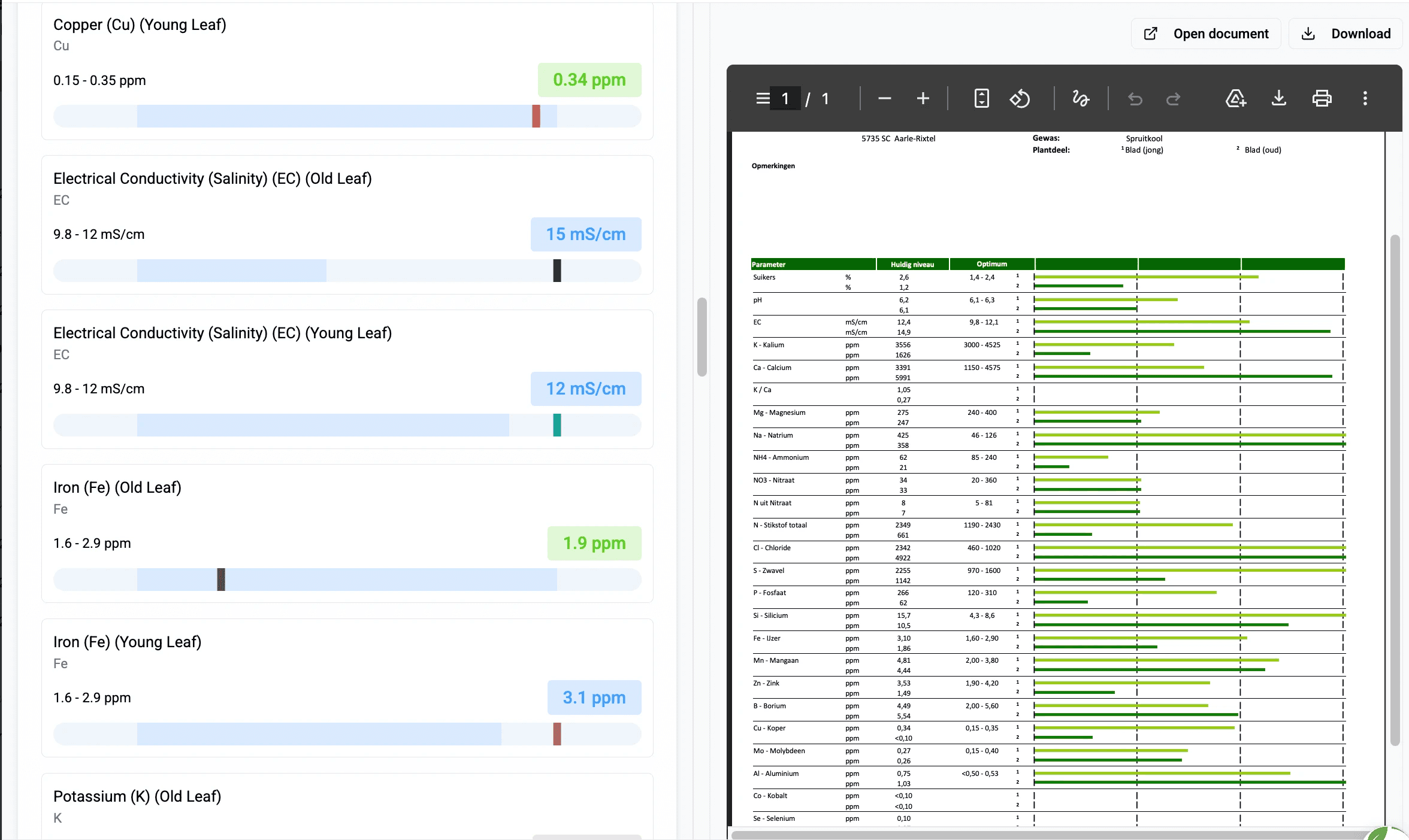
Upload a supported soil, plant sap, tissue or water report, then review the extracted measurements, units and sample details before comparing results. SoilBeat structures the values and links them to the farm, crop, management zone and date, so you can compare compatible laboratory methods and follow changes across sampling rounds.

Soil, plant sap, tissue & water results
100+ report formats
PDF, CSV & XLS workflows
Structured nutrient values
Bulk report organization
Excel export
SoilBeat laboratory report data
SoilBeat management zones
Spatial context

How do I link samples to fields and management zones?

Assign each sample to the relevant farm, field or management zone and keep its crop, season and sampling date with the result. This connects laboratory measurements, field observations and activities to the same location, making comparisons more useful than a folder of reports without spatial or crop context.

Multiple farms
Management zones
Subzones
Crop & season context
Sampling locations
Zone-linked observations
Field reality

How do I record what I see in the field?

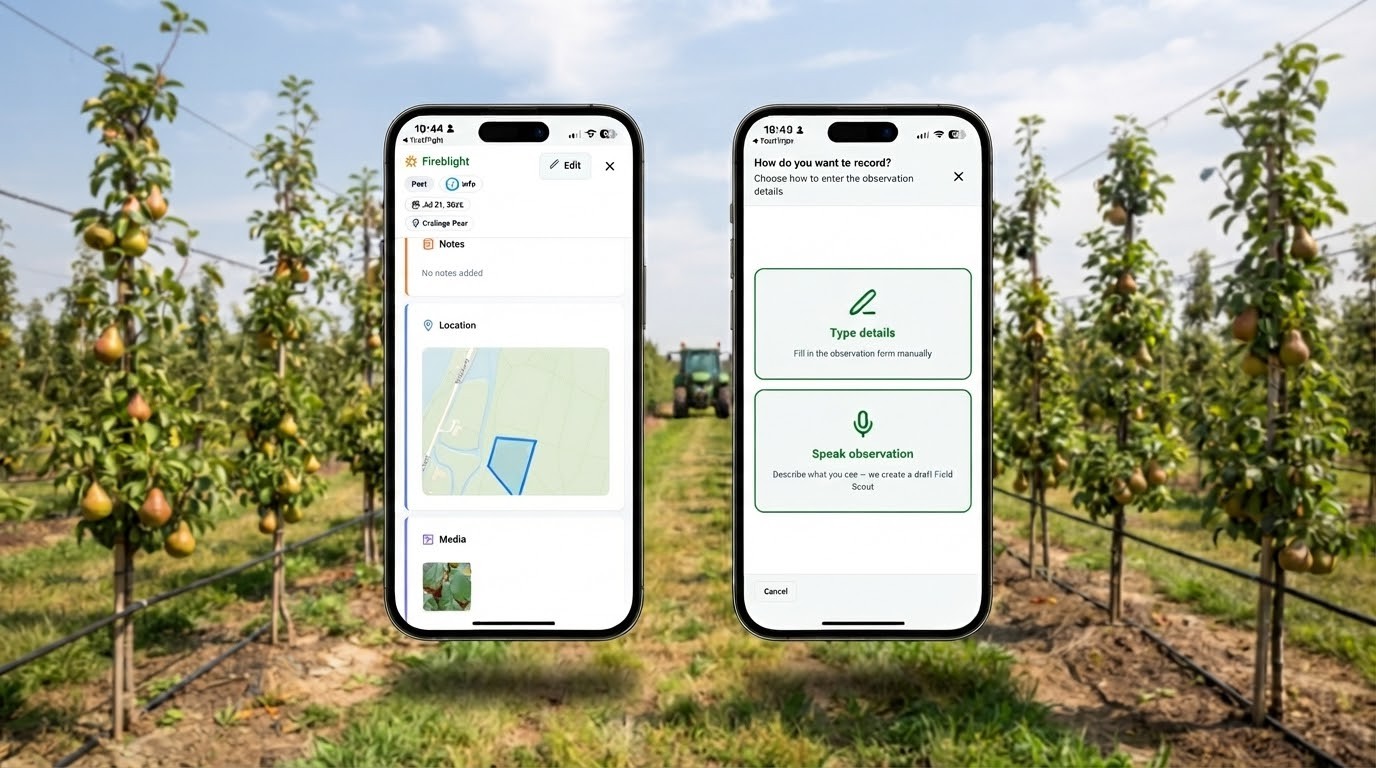
Use FieldScout on mobile to capture crop symptoms, pests, diseases, soil conditions and sampling observations with photos, videos or notes. Keep each observation connected to its farm context, then let the agronomist review and edit scout reports before using that field evidence alongside laboratory results in a recommendation.

Pest & disease observations
Crop growth observations
Soil observations
Sampling spots
Photos & video
Mobile capture
SoilBeat FieldScout observations
SoilBeat farm timeline and history
History that stays useful

How do I keep the history of what was applied?

Record completed field activities and applications alongside the relevant crop, management zone and date, then keep them connected to observations and laboratory results. SoilBeat brings that history into the farm record, so you and your advisor can compare what was recommended, what was applied and how later measurements changed.

Activity history
Previous measurements
Crop history
Supporting documents
Grower–advisor context
Structured data export
The foundation for what comes next

What can I do with my connected farm data?

Start with the evidence you already have

Ready to build your farm record?

Start with your existing reports and farm information. SoilBeat turns them into connected farm data and history you can build on over time.

Farm record questions

What should I know about my farm record?

Which report types are supported?

SoilBeat supports soil, plant sap, tissue and water laboratory reports across more than 100 report formats. Compatibility depends on the laboratory layout, parameters and sample type, so check the supported formats and review extracted units, methods and sample details before comparing results or using them in a recommendation. Check supported laboratory reports.

Can I export everything?

You can export structured laboratory data to Excel, graphs as images and recommendation reports as PDFs. A complete export of every workspace record, attachment and relationship needs its scope and format agreed with SoilBeat; discuss what you need before migration rather than assuming a single export includes the whole farm record. Discuss your export requirements.

Can several people work in one farm record?

Yes. Growers, agronomists and field users can work with a shared farm record when they have the relevant access permissions and accepted sharing. The number of farms and field users depends on your plan, so confirm who needs access and which work they will carry out before setting up the workspace. Compare plans and user allowances.

Can I add observations from my phone?

Yes. The SoilBeat mobile app for iOS and Android lets you capture field observations with photos, videos or notes and keep them connected to the farm record. Use FieldScout to document crop symptoms, pests, diseases or sampling conditions, then review those observations alongside laboratory measurements and completed activities. Explore the mobile app.

Who owns the farm data I upload?

Customers retain ownership of the farm data they upload to SoilBeat. Workspace access depends on permissions and accepted sharing, while the applicable agreement and privacy policy explain how SoilBeat processes personal data, handles retention and responds to requests for access or deletion; ownership does not make every record publicly accessible. Read the privacy policy.

Grow with SoilBeat!

SoilBeat connects farm data to expert-reviewed prescriptions and advisor plans, with field activities and follow-up in the same record.

Download the SoilBeat app

The app is available in English, Dutch, German, Spanish and French.

Privacy settings
SoilBeat Logo

Copyright © 2026

Grow with SoilBeat!

SoilBeat connects farm data to expert-reviewed prescriptions and advisor plans, with field activities and follow-up in the same record.

Download the SoilBeat app

The app is available in English, Dutch, German, Spanish and French.

Privacy settings
SoilBeat Logo

Copyright © 2026

Grow with SoilBeat!

SoilBeat connects farm data to expert-reviewed prescriptions and advisor plans, with field activities and follow-up in the same record.

Download the SoilBeat app

The app is available in English, Dutch, German, Spanish and French.

Privacy settings
SoilBeat Logo

Copyright © 2026