
Field activities and follow-up

Turn published recommendations into field activities and follow-up.

Publish fertilization and crop-protection advice as field activities with the relevant products, rates, timing and instructions. Assign the work, record completion and keep new observations and measurements available for follow-up.

Grower carrying out field work
SoilBeat activities interface
From advice to execution

How do I keep advice connected to field work?

Create field activities from approved advice and keep the products, rates, timing and completion record attached to the farm. This gives growers and agronomists a shared record of the work to carry out and the work completed, with observations and laboratory measurements available for the next recommendation.

Clear next actions

Turn advice into specific field activities with the details needed to carry out the work.

Use farm products

Reuse fertilizer and crop-protection products in recommendations and activities.

Record what happened

Completed activities stay in the farm history for the next analysis and recommendation.

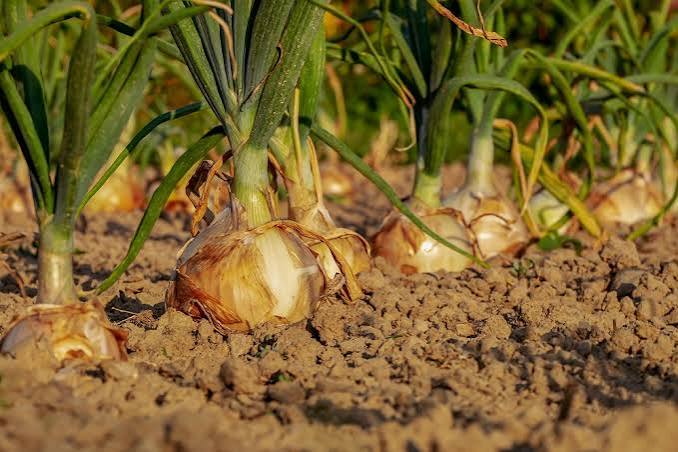
Agricultural field detail
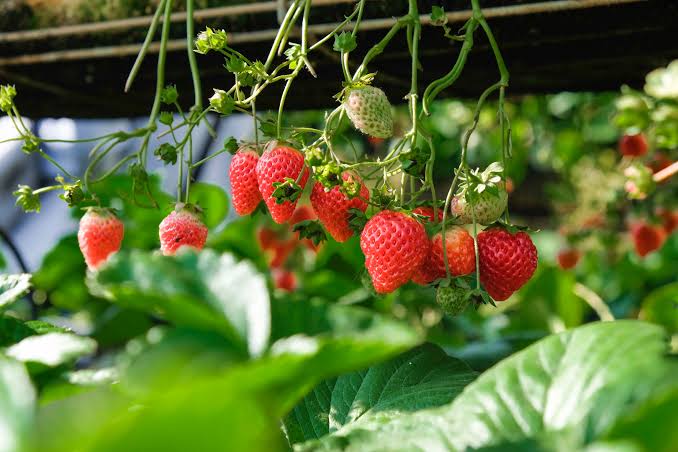
Greenhouse crop
Orchard crop
Field activities and follow-up

How do I turn a recommendation into tasks?

Publish the reviewed recommendation as field activities with the relevant field, products, rates, timing and instructions attached. SoilBeat keeps the tasks linked to the approved advice, so the grower can carry out the work and the advisor can review completed applications alongside later observations and laboratory measurements.

Fertilization
Crop protection
Tank mixes
Compost
Assign Due dates
Duplicate activities
SoilBeat activities screen
SoilBeat product inventory
Product inventory

Where do I keep my fertilizer and crop-protection products?

Keep fertilizer and crop-protection products in the farm’s product inventory, with composition, costs and product sheets available for reuse. Select those products when preparing recommendations or field activities, then check the recorded product, rate and application details before publishing advice or recording completed work against the farm history.

Fertilizers
Crop-protection products
Product composition
Product costs
Product sheets
Reuse across plans
Assign & follow up

How do I assign work to a field technician?

Assign the field activity to the person carrying out the work and include the management zone, timing, products and application instructions they need. The technician uses the shared farm access available under your plan to view and update activities, keeping completion connected to the same farm timeline used by the advisor.

Assign activities
Edit tasks
Complete activities
Shared farm access
Activity timeline
Mobile access
SoilBeat activity assignment and timeline
What happens next

How do I record what was really applied?

Update the field activity with the products, rates, timing and other application details that reflect the completed work, then record completion. Keep the actual application connected to the farm history alongside the original recommendation, so later observations and laboratory results can be reviewed against what happened in the field.

01Recommendation
02Activity
03Completed work
04New observation or measurement
05Next recommendation
Related features

How does completed work inform the next recommendation?

Put the recommendation to work

Ready to turn advice into field work?

Create the activity, assign the work and keep the completed action connected to the farm.

Field activities and follow-up

Turn published recommendations into field activities and follow-up.

Publish fertilization and crop-protection advice as field activities with the relevant products, rates, timing and instructions. Assign the work, record completion and keep new observations and measurements available for follow-up.

Grower carrying out field work
SoilBeat activities interface
From advice to execution

How do I keep advice connected to field work?

Create field activities from approved advice and keep the products, rates, timing and completion record attached to the farm. This gives growers and agronomists a shared record of the work to carry out and the work completed, with observations and laboratory measurements available for the next recommendation.

Clear next actions

Turn advice into specific field activities with the details needed to carry out the work.

Use farm products

Reuse fertilizer and crop-protection products in recommendations and activities.

Record what happened

Completed activities stay in the farm history for the next analysis and recommendation.

Agricultural field detail
Greenhouse crop
Orchard crop
Field activities and follow-up

How do I turn a recommendation into tasks?

Publish the reviewed recommendation as field activities with the relevant field, products, rates, timing and instructions attached. SoilBeat keeps the tasks linked to the approved advice, so the grower can carry out the work and the advisor can review completed applications alongside later observations and laboratory measurements.

Fertilization
Crop protection
Tank mixes
Compost
Assign Due dates
Duplicate activities
SoilBeat activities screen
SoilBeat product inventory
Product inventory

Where do I keep my fertilizer and crop-protection products?

Keep fertilizer and crop-protection products in the farm’s product inventory, with composition, costs and product sheets available for reuse. Select those products when preparing recommendations or field activities, then check the recorded product, rate and application details before publishing advice or recording completed work against the farm history.

Fertilizers
Crop-protection products
Product composition
Product costs
Product sheets
Reuse across plans
Assign & follow up

How do I assign work to a field technician?

Assign the field activity to the person carrying out the work and include the management zone, timing, products and application instructions they need. The technician uses the shared farm access available under your plan to view and update activities, keeping completion connected to the same farm timeline used by the advisor.

Assign activities
Edit tasks
Complete activities
Shared farm access
Activity timeline
Mobile access
SoilBeat activity assignment and timeline
What happens next

How do I record what was really applied?

Update the field activity with the products, rates, timing and other application details that reflect the completed work, then record completion. Keep the actual application connected to the farm history alongside the original recommendation, so later observations and laboratory results can be reviewed against what happened in the field.

01Recommendation
02Activity
03Completed work
04New observation or measurement
05Next recommendation
Related features

How does completed work inform the next recommendation?

Put the recommendation to work

Ready to turn advice into field work?

Create the activity, assign the work and keep the completed action connected to the farm.

Field activity questions

What should I know about field activities?

Can I record tank mixes?

Yes. SoilBeat supports tank mixes in field activities, with the relevant products and application details recorded against the work. Review the products, rates, units and instructions before saving the completed application, and check label requirements and mix compatibility with your advisor or product supplier rather than assuming a saved mix establishes compatibility. Explore the recommendation workflow.

Are product costs included?

Yes. The product inventory can store product costs alongside composition and product sheets for use in recommendations and activities. Keep those costs current and check the relevant quantities and units when comparing a plan; a recorded product cost reflects the information entered for the farm rather than a guaranteed live market price. See how advisors prepare plans.

Can I create activities by voice?

Yes. Use mobile voice input to capture and create field activities while you are in the field. Review the farm, management zone, product names, quantities, units and timing before saving, then keep completion and any changes connected to the activity record so your advisor can follow up on the work. Explore the mobile app.

Can a field technician update assigned activities?

Yes. A field technician with the relevant shared farm access can view assigned work, update the activity and record completion. Include the management zone, products, rates, timing and clear instructions when assigning it, and check the field-user allowance in your plan before adding the people who will carry out the work. Compare current user allowances.

Where do completed activities stay?

Completed activities stay connected to the farm timeline and history alongside observations, laboratory measurements and earlier recommendations. Record what was actually done, including any change from the original plan, so the grower and agronomist can use that field context when comparing later results or preparing the next recommendation. Explore the farm record.

Grow with SoilBeat!

SoilBeat connects farm data to expert-reviewed prescriptions and advisor plans, with field activities and follow-up in the same record.

Download the SoilBeat app

The app is available in English, Dutch, German, Spanish and French.

Privacy settings
SoilBeat Logo

Copyright © 2026

Grow with SoilBeat!

SoilBeat connects farm data to expert-reviewed prescriptions and advisor plans, with field activities and follow-up in the same record.

Download the SoilBeat app

The app is available in English, Dutch, German, Spanish and French.

Privacy settings
SoilBeat Logo

Copyright © 2026

Grow with SoilBeat!

SoilBeat connects farm data to expert-reviewed prescriptions and advisor plans, with field activities and follow-up in the same record.

Download the SoilBeat app

The app is available in English, Dutch, German, Spanish and French.

Privacy settings
SoilBeat Logo

Copyright © 2026