SoilBeat features

Turn connected farm data into recommendations, activities and follow-up.

Connect soil, crop and water measurements with observations, applications and crop history. Use AI chat to create multizone fertilizer plans and customized advisor recommendations, use PlantSap and Fertigation modules for focused nutrient advice, and keep expert review, activities and follow-up connected.

Start free
01Farm data and history

How do I turn lab reports into data I can compare?

Upload a supported soil, plant sap, tissue or water report, then review the extracted measurements, units and sample details before comparing results. SoilBeat structures the values and links them to the farm, crop, management zone and date, so you can compare compatible laboratory methods and follow changes across sampling rounds.

Lab reports & structured data
Farms & management zones
FieldScout observations
Photos, videos & documents
Farm history
Import & export
Explore this capability
SoilBeat connected farm data and history
02Compare results and track trends

How do I see nutrient trends over time?

Select the nutrient, sample type and date range to bring repeated soil or plant sap measurements into one timeline. SoilBeat shows how results change between sampling dates alongside crop context, observations and activities; check that laboratory methods, units and sampling conditions are comparable before treating a movement as a meaningful trend.

Nutrient trends
Targets & comparisons
Agronomic filters
Tables & heatmaps
Maps & spatial views
Cross-field analysis
Explore this capability
SoilBeat agronomic compare results and track trends
03Recommendations and fertilizer plans

How do I create a fertilizer recommendation from a lab report?

Choose a recommendation goal, select the relevant lab report and farm records, then prepare and review the nutrient management plan before sharing it. These four steps connect soil, plant sap or water results with crop needs, products, rates and follow-up activities, so the recommendation stays linked to the evidence behind it.

Explore this capability
SoilBeat recommendation workflow
04Agronomic interpretation

How do I set fertilizer formulas, rate limits and multipliers?

Define your recommendation formula using soil test data, yield goals and your agronomic method, then configure minimum and maximum rates, multipliers and product selection. Apply the calculation to the relevant farm evidence, review the resulting quantities and units, and customize the prescription before approving advice for the grower.

Target values
Agronomic filters
Recommendation logic
Reusable recommendation modules
Own methodology
AI-assisted workflows
Explore this capability
SoilBeat agronomic interpretation
05Field activities and follow-up

How do I turn a recommendation into tasks?

Publish the reviewed recommendation as field activities with the relevant field, products, rates, timing and instructions attached. SoilBeat keeps the tasks linked to the approved advice, so the grower can carry out the work and the advisor can review completed applications alongside later observations and laboratory measurements.

Field activities
Recommendation → activity
Product inventory
Task assignment
Cost-aware planning
Follow-up
Explore this capability
SoilBeat field activities and follow-up
06AI for agronomy

What can I ask my farm data?

Ask SoilBeat AI about nutrient trends, differences between fields, laboratory results and recorded applications, using the crop and farm history already connected to the question. It helps investigate the evidence and prepare interpretations or draft advice, while the agronomist checks the reasoning, calculations and proposed actions before sharing a recommendation.

Investigate
Compare
Scan & Upload
First steps of a recommendation
Connected farm context
Follow-up
Explore this capability
SoilBeat AI chat agronomic AI
07Farm communication

How do I send one message to selected farms?

Create an Announcement, select the relevant farms and write one subject and message for those recipients. You can save the announcement as a draft, review its wording and selected farms, then send it when ready, keeping a shared agronomic update inside SoilBeat rather than repeating it separately for each farm.

Announcements to selected farms/crops
Comments, questions and answers linked to records
Conversations saved with the relevant record
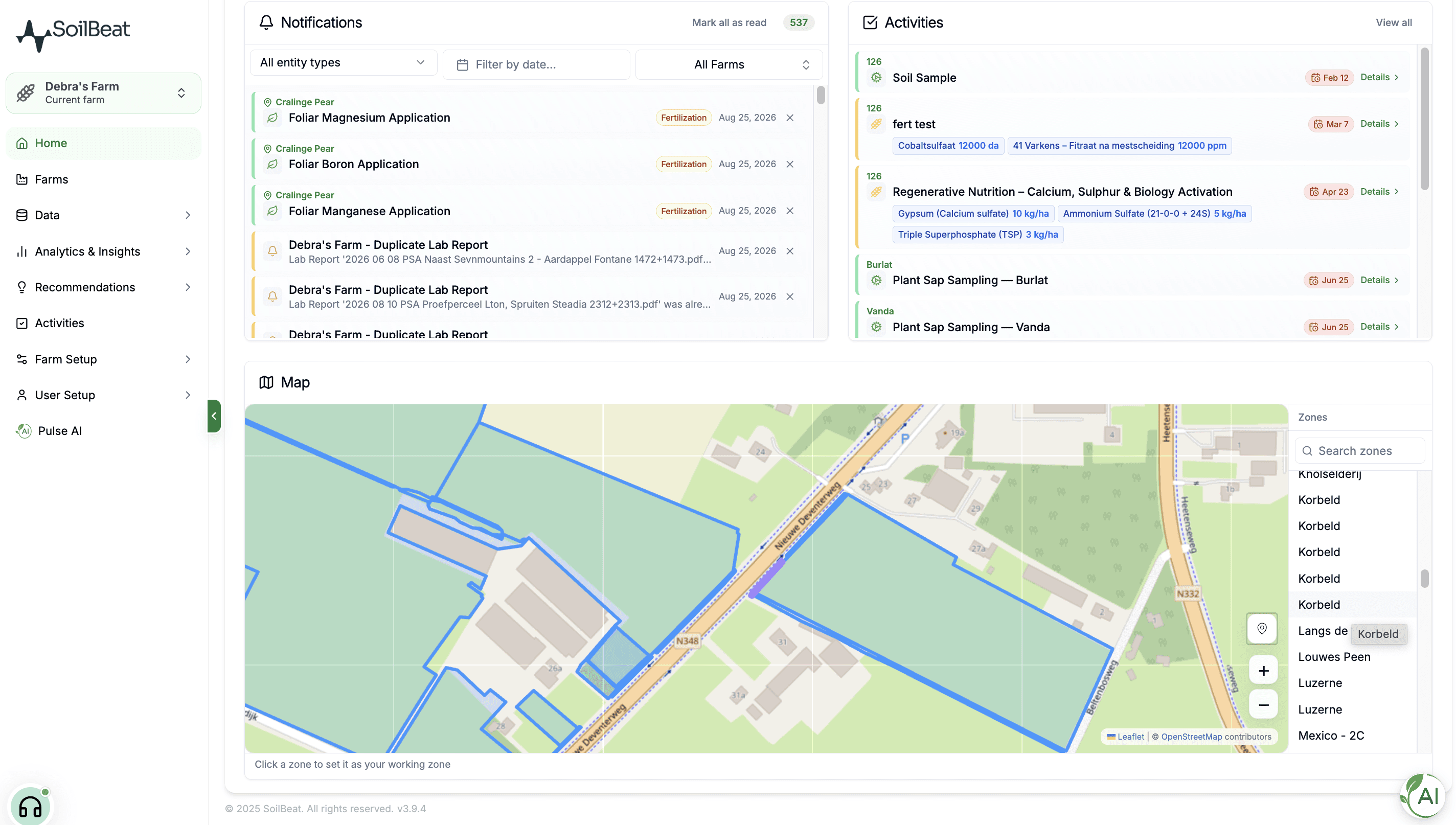
Filterable Notification Overview
Push, email and WhatsApp notifications
Farm discussions kept in context
Explore Farm communication
SoilBeat Farm communication with Announcements for selected farms
08 · Mobile App

How do I log a scouting observation by voice?

Use voice input in the mobile app to describe the crop symptoms, pests, diseases or field conditions you see, then review and save the observation. Keep the correct farm and management zone attached, add photos where useful, and let the agronomist review the scout report before using it in advice.

GPS zone lookup

Pull up the right zone with its lab reports, observations and actions — no searching by name.

Voice recording

Speak your observation instead of typing on a small screen.

Photo + AI observation

Take a photo, ask what to do, and log the observation to your timeline.

Observation → activity

Add the field action in the same flow, without recreating it at the desk.

Printed report → data

Photograph a printed lab report and turn it into data you can work with.

Product label → library

Photograph a product label and add it to your product inventory for future recommendations.

SoilBeat mobile app used in the field
Mobile app · capture, interpret and act in the field
Ready to explore SoilBeat?

Ready to explore the connected SoilBeat workflow?

Start free

65 capabilities across 14 areas

Feature Overview

From connected measurements to recommendations, activities and follow-up. Plan access is shown in the comparison above; individual workflows depend on your role and configured modules.

Farm & portfolio3 features +

Create and manage farms

Create farm records, move between farms and keep each client’s information separated by farm context.

Available

Invite farmers and advisers

Collaborate around the same farm record. Advisor and Organization can invite client farmers.

Available

Advisor-level trial across up to 20 farms

Use a 30-day Advisor-level trial and create up to 20 farms to test a realistic portfolio.

Available
Data & reports9 features +

Convert laboratory reports into structured records

Upload laboratory reports and convert their results into structured, reusable data.

Available

Interpret one or multiple lab reports

Review interpretations for a single report or a selected group of reports.

Available

Connect reports to zones and subzones

Attach laboratory results to the correct management zone or subzone.

Available

Bulk organize and export lab data

Bulk-edit report metadata and export structured laboratory data to Excel.

Available

Build nutrient timelines and adjust targets

Select reports for nutrient timelines and apply adviser-defined target values.

Available

Store supporting documents

Keep previous recommendations, contracts and other relevant documents with the farm record.

Available

Upload lab reports as PNG or JPEG

Add a photo or image of a printed lab report, not only a PDF, and have it processed as a lab report.

Available

Read Brix from lab reports

Brix is available as a reading name and is extracted from lab reports, kept apart from Sugar.

Available

Store sugars from silage reports

Silage reports now store the sugars value.

Available
Field observations5 features +

Create Fieldscout observations

Record structured field observations for pests, diseases, soil health, crop condition and sampling locations.

Available

Attach photos and videos

Add visual evidence to field observations.

Available

Capture observations on mobile or by voice

Create observations in the field from a mobile device and use voice recording where available.

Available

Place observations on the agronomic timeline

View field observations alongside nutrient trends and activities.

Available

Review and edit scout reports

Agronomists can review scout reports and make edits before using them in advice.

Available
Analytics7 features +

Analyze nutrient trends over time

Build nutrient trend graphs and align them with field observations and activities.

Available

Filter and compare agronomic data

Filter by management zone, crop, nutrient or test type and combine or separate series for comparison.

Available

Use reusable analysis filters

Apply saved or predefined filters developed from agronomic expertise.

Available

Overlay target values

Display adviser-selected target values on graphs and tables.

Available

Create heatmaps and data tables

Use tables and target-value heatmaps to compare nutrients across fields and years; export tables when needed.

Available

Compare nutrient status on a map

Visualize nutrient status across adjacent fields or zones.

Available

Export charts for recommendations

Export analytical graphs as images and reuse them in recommendation reports.

Available
Recommendations12 features +

Build editable recommendation reports

Create visual recommendation reports from selected evidence, then review and edit the interpretation and proposed actions.

Available

Use grounded plant-sap interpretation

Carry the existing plant-sap interpretation into recommendation generation instead of reclassifying nutrient status from raw values.

Available

Preview recommendations with supporting visuals

Review restored visuals and expand Preview before approving an Integrated AI recommendation.

Available

Email recommendation reports from SoilBeat

Select a recipient and send an existing recommendation report directly from the recommendation workflow.

Available

Configure recommendation modules and templates

Use available recommendation modules and templates. Own modules and organization-specific logic are part of white-label configuration.

Available

Brand and white-label reports

Adjust report style and organization branding, including white-label options where configured.

White-label configuration

Draft, review and approve recommendations

Prepare draft reports for colleagues to review and approve before release.

Available

Formula-based prescriptions

Set minimum and maximum rates, multipliers and selected products in agronomist-defined recommendation formulas.

Available

Multizone plans with Integrated AI

Create draft fertilizer plans for multiple management zones and review before sharing.

Available

Template-based recommendation creation

Apply existing templates to auto-populate new recommendations for advisor review.

Available

PlantSap and Fertigation modules

Use the available PlantSap and Fertigation recommendation modules.

Available

Soil Fertilization and Manure Calculator modules

Dedicated modules for soil fertilization and manure calculations.

Available
Integrated AI4 features +

Question agronomic data conversationally

Use Integrated AI to explore reports, observations and farm context and to turn an enquiry into a working interpretation or recommendation draft.

Available

Add crops without leaving Integrated AI

Create a crop record from the Integrated AI conversation instead of leaving the workflow.

Available

Create and refine management-zone proposals

Ask Integrated AI to create a zone proposal, request a refinement and review it before acceptance.

Available

Retain conversation history

Return to prior conversations and create topic-specific enquiries around crops or farm work.

Available
Management zones6 features +

Create zones by drawing or importing shapes

Draw field boundaries or import shape files to build the spatial structure of a farm.

Available

Build nested subzone hierarchies

Create multiple levels of subzones for different practices, varieties, rows, blocks or nursery lots.

Available

Assign crops and production history

Link crops, planting dates and harvest information to management zones.

Available

Review zones in a full-scale editor

Inspect the form and map side by side in a 50/50 editor and review soil type before using the zone downstream.

Available

Use connected table and map context

Review zone hierarchy on the map, keep surrounding zones outlined during editing and choose a zone type for fields or nurseries.

Available

Filter, search and bulk-edit the nursery table

Combine search and filters on one row, filter by certification, select several zones, and bulk delete or bulk edit certifications, crops and planting or termination dates.

Available
Activities2 features +

Plan detailed field activities

Create structured activities for fertilizer, compost, crop-protection and tank-mix work.

Available

Duplicate and assign work

Copy an activity to other fields and assign tasks to field workers.

Available
Products & targets3 features +

Maintain fertilizer and crop-protection libraries

Store products, reuse libraries across farms and use product information when estimating application cost or mix.

Available

Apply adviser-defined target values

Create target values that can supersede laboratory defaults where local experience or strategy requires it.

Available

Add certifications to zones and products

Select On the way to PlanetProof, GLOBALG.A.P. and Regenified Certified on management zones and on fertilizers and crop protection products.

Available
Communication5 features +

Send Announcements to selected farms

Choose multiple farms, write one subject and message, save it as a draft and send it from SoilBeat.

Available

Use Threads v1

Open the first Threads experience in Communication to keep communication-related views closer to the farm workflow.

Limited

Receive a weekly field digest

Use a weekly email digest to review what happened on the farm.

Available

Use Comments

Open the first Threads experience in Communication to keep communication-related views closer to the farm workflow.

Limited

WhatsApp notifications

Get your SoilBeat notifications on WhatsApp, and choose which updates you receive.

Available
Organization & localisation2 features +

Show organization contact details on reports

Add address, phone, website and general email in Account settings and display completed fields on recommendation letterheads.

Available

Use multiple languages and unit systems

Work in English, Dutch, French, Spanish or German and use metric or imperial units.

Available
Mobile1 features +

Access field workflows on mobile

Access farm context, laboratory reports, activities and observations on mobile.

Available
Nursery operations5 features +

Nursery-lot registration

Record taxon, quantity, properties, planting and termination dates, certifications and notes.

Available

Stock movements and lot splitting

Record stock movements and split nursery lots.

Available

Lot-level interpretation, plans and activities

Connect measurements, interpretation, detailed plans and activities to individual nursery lots.

Available

Proactive nursery alerts

Use proactive alerts to support lot-level follow-up and agronomic decisions.

Available

QR-code scanning

Scan QR codes in nursery workflows.

Coming soon
Help & onboarding1 features +

Get help from one Support menu

Open one Support menu with guided tours, onboarding checklists, a chat with the SoilBeat team and a link to tutorials and videos.

Available
Whatever you grow in

Built for your crop — not just one way of farming.

Soil, substrate, sap or water; conventional, organic or regenerative. SoilBeat reads the data your system actually generates and builds the plan around it.

Open field & arable

Soil chemistry, base saturation and crop demand into a costed, season-long fertilization plan from your own product list.

Greenhouse & glasshouse

Compare plant sap results over time, alongside field observations and growing history, to support in-season nutrient decisions with your agronomist.

Substrate & soilless

Driven by sap, drain and feed-water analysis — the levers that matter when there's no field soil to balance.

Built around the agronomist

What is the difference between SoilBeat and a generic chatbot?

A generic chatbot can interpret documents and answer agronomic questions, but you organize the farm context and move the resulting advice into your field workflow. SoilBeat connects laboratory results, crops, observations and activities with configured formulas and reviewed recommendations, so the evidence and resulting field work stay in one farm record.

General AI assistants

  • You supply and maintain the relevant farm context
  • You organize laboratory methods, units, sample dates and field history
  • You verify calculations and review the proposed agronomic advice
  • You move the resulting advice into farm tasks and follow-up

SoilBeat

  • Laboratory results, observations and activities connected by field and date
  • Configured formulas, rate limits, products and reusable templates
  • Agronomist review and approval before sharing advisor advice
  • Published recommendations connected to field activities and follow-up
Scale your expertise

Can I reuse the same method for every client?

Yes. Reuse targets, filters, formulas and templates to give each client recommendation a consistent starting method, then adapt the result to the farm and management zones. Check the laboratory evidence, crop needs, products and rates for each case, keeping professional review in the workflow before sharing the plan.

01

Your methodology

Keep your logic, priorities, terminology and recommendation approach close to the workflow instead of leaving them in documents, spreadsheets or individual experience.

Your way of advising stays at the center.
02

Your modules

Turn specialist methodology into reusable recommendation modules for recurring questions, calculations or areas of expertise.

Repeat specialist knowledge without rebuilding it.
03

Your brand

Deliver recommendations using your own language, structure and branding, so the grower experiences your advisory practice — not a generic AI output.

Your expertise. Your presentation. Your relationship.
04

Your commercial model

Where the model fits, proprietary agronomic knowledge can become a reusable knowledge asset that supports new services, differentiated advisory products or monetization.

Turn know-how into something that can scale.

The goal is not to replace the agronomist. It is to make good agronomy easier to repeat, extend and build on.

See how expertise can be configured

Grow with SoilBeat!

SoilBeat connects farm data to expert-reviewed prescriptions and advisor plans, with field activities and follow-up in the same record.

Download the SoilBeat app

The app is available in English, Dutch, German, Spanish and French.

Privacy settings
SoilBeat Logo

Copyright © 2026