Calculator
Based on Albrecht Soil Balance principles
Interprets your PDF, CSV or Excel soil tests
No spreadsheets required
Upload your latest Soil Report and try
The issues with Most fertiliser plans
1. N-P-K Isn’t Enough
Conventional tools miss what really matters: mineral ratios like Ca:Mg and hidden imbalances that hurt yields silently.
2. Generic Recommendations Waste Inputs
Most calculators ignore soil type, crop stage, or mineral interactions. That leads to over-application and misaligned fertility plans.
3. Data Transfer is a Time Sink
Transferring lab results into Excel for DIY balance checks is slow, error-prone, and hard to scale.
How SoilBeat Solves This
Reads and converts your soil data into PPM (Mehlich III, Ammonium Acetate and Morgan tests).
Calculates mineral balance using Albrecht soil chemistry principles.
Optimizes nutrient ratios: Ca 68%. Mg: 12%, K:4%, Na: 1.5%
Adjusts for soil texture - sand, loam or clay.
Plans efficient application timing and quantities.
Introducing: The SoilBeat Calculator

How the Fertiliser Calculator works
SoilBeat guides you in six clear steps from soil test to a complete fertilisation plan:
1. Start – set your context
Select the field or management zone, link the latest soil sample, choose season dates and soil type, and name your plan.
2. Nutrient levels – see where you stand
The calculator reads your lab results and shows current soil nutrient levels in ppm compared with the optimal ranges.
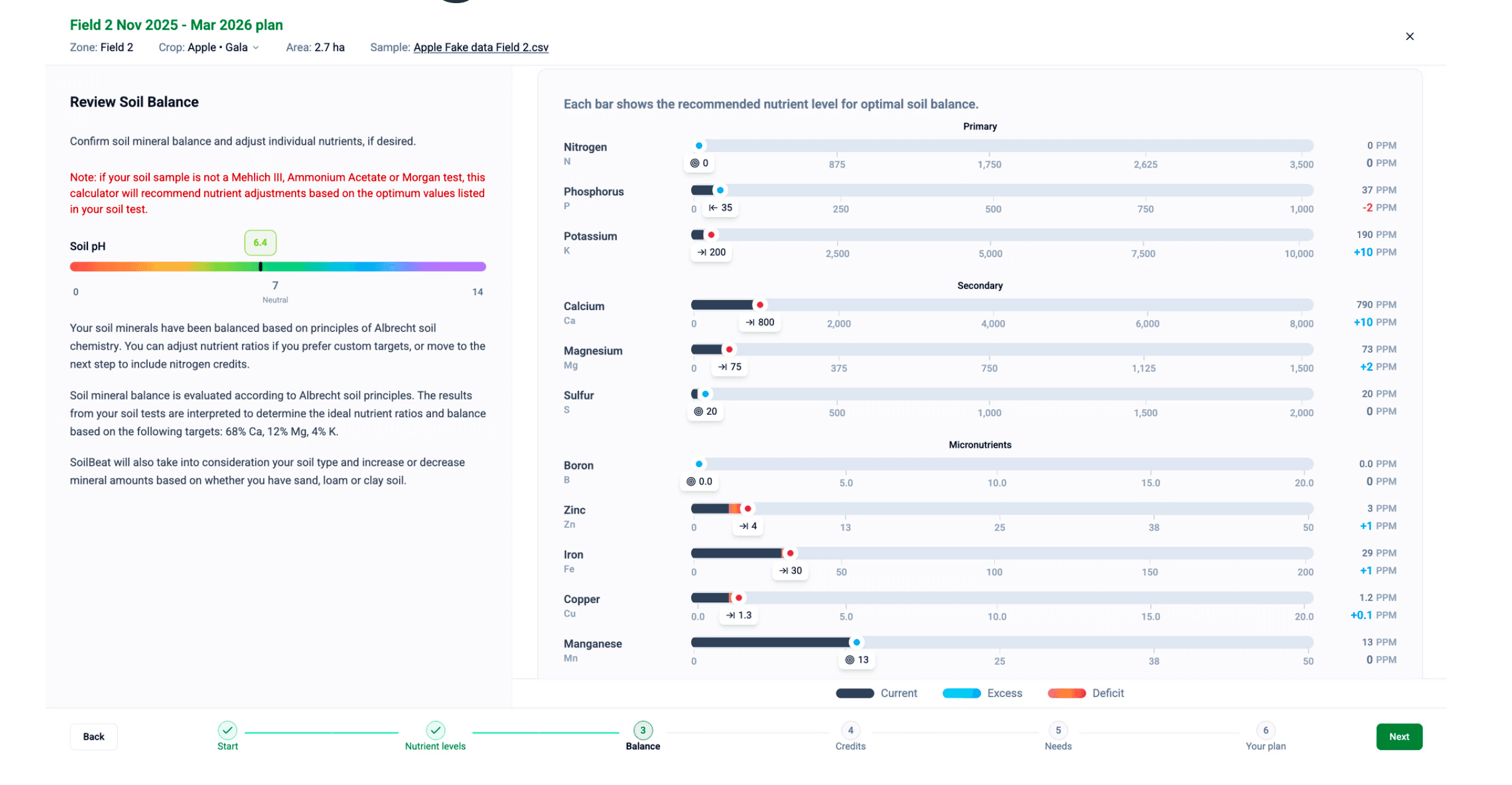
Balance – optimise mineral ratios & pH
SoilBeat rebalances your soil minerals (based on Albrecht principles) and lets you fine-tune target ratios and pH to your own strategy.
Credits – include what the soil already supplies
Add nitrogen credits from previous legume or cover crops so you don’t over-apply or pay twice for nutrients.
Needs – match soil supply to crop demand
Choose your next crop and expected yield; the tool calculates total nutrient requirements and highlights any deficits for each element.
6. Convert to Product Mix – generate the fertiliser program
Convert nutrient needs into a season-long plan with product rates, application timings, per-hectare and total amounts, plus a visual of nutrient levels throughout the season.