01
Find the field’s history again
Locate the previous test, confirm the field and crop, and ask what has happened since.
SoilBeat keeps lab results, field observations and history for every client farm in one record. Reuse your own recommendation methods, see what each grower did with your advice, and spend less time preparing reports.



Each report needs the right field, crop, sample date, previous results and application history before you can interpret it; checking methods and units adds more preparation. SoilBeat structures supported lab reports and connects them to the continuing farm record, so you can review the evidence without rebuilding that context from separate files.
Locate the previous test, confirm the field and crop, and ask what has happened since.
Match samples to fields and dates, check units and methods, and transfer values between reports and spreadsheets.
Rebuild calculations, charts, product selections and explanations that turn your analysis into practical advice.
Check where, when and at what rate the grower acted on the advice before making the next decision.
“SoilBeat is a tool that does 75% of the work in half the time. I still adjust, tweak, and add insights along with my own observations into the custom report.”
The Advisor plan includes 20 managed farms, 25 recommendation reports and 50 Integrated AI questions per month, with extra farms and credits available. How many clients you can serve depends on visit frequency, crop complexity, data quality and review time; SoilBeat reduces repeated preparation while you retain responsibility for each recommendation.
Keep your interpretation logic, priorities and recommendation approach inside your workflow, so each new plan builds on the methods you already trust.
Reuse formulas, product selections and report templates across your client plans. Check the evidence, adjust the rates and customize the advice for each farm and management zone.
Deliver clear recommendations in your own language and report structure. Keep the advice connected to activities and follow-up so grower conversations build on the same field record.
Spend less time rebuilding records and reports as your client base grows. Keep more time for diagnosis, field visits and the agronomic details that matter.
Discuss how your methodology can fit a consistent, reviewable advisory workflow.
Working across a team? Explore team workflowsKeep lab reports, crops, management zones, field observations, recommendations and recorded activities linked to the same farm and field in SoilBeat. Each new sample or completed activity adds to that history, giving you the dates, methods, products and previous decisions to review before you prepare the next recommendation.

SoilBeat helps you move beyond isolated lab results by comparing trends, connecting measurements to field events and exploring the full farm record before you recommend.
You can reuse formula-based prescriptions, selected products, rate limits and report templates in SoilBeat, with available configuration depending on your workspace and plan. Prepare a field or multizone recommendation from connected evidence, then check the calculations, adjust the products and rates, add your interpretation and approve the advice before sharing.
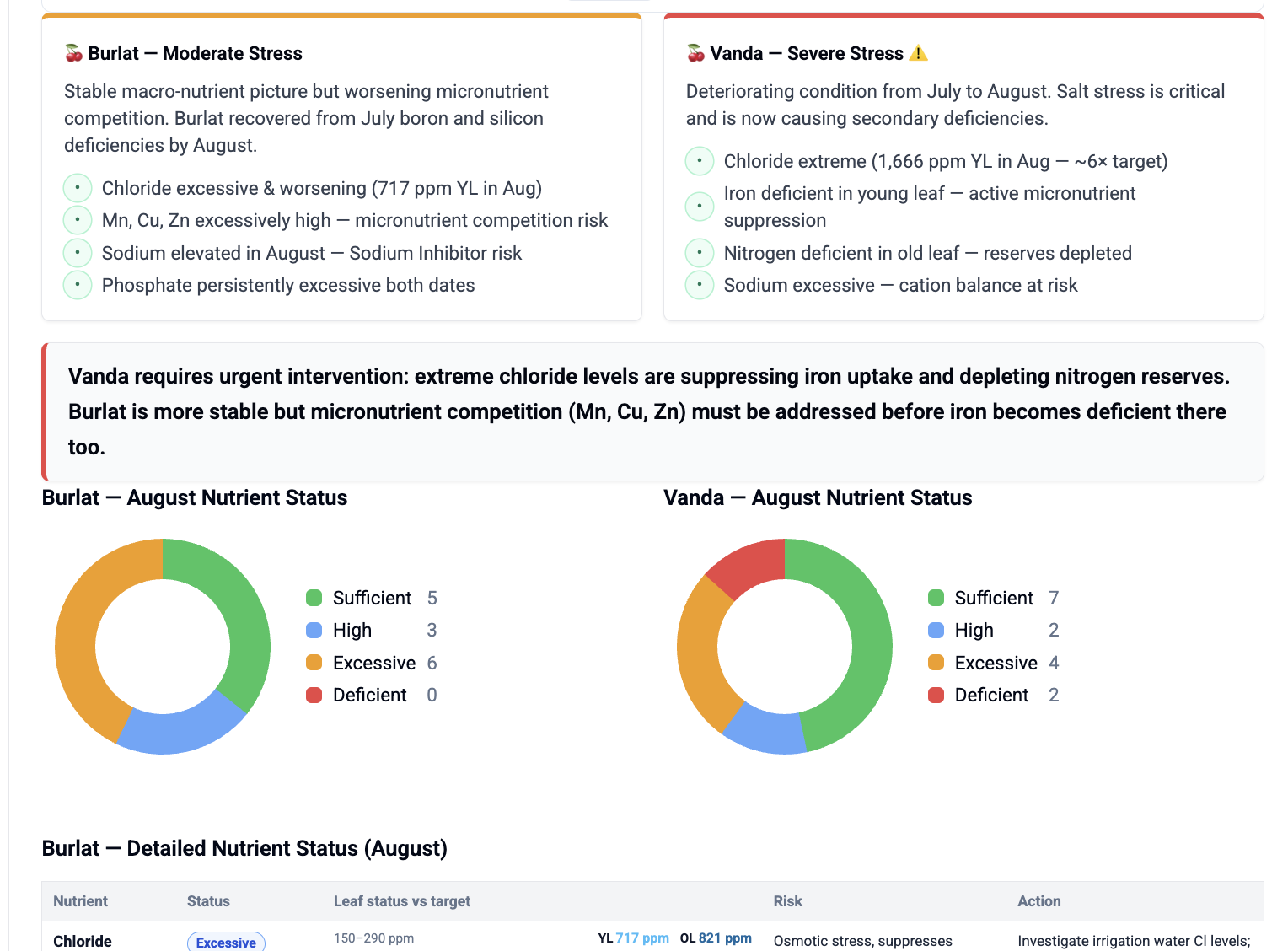
Automate the repetitive work around the recommendation — not the agronomist’s judgment.
When you publish an approved recommendation, its fertilization and crop-protection activities appear on the grower’s Activities screen. Growers and field technicians record completion with the field, date, products and rates, so you can review what was actually done next to your advice before the next decision.
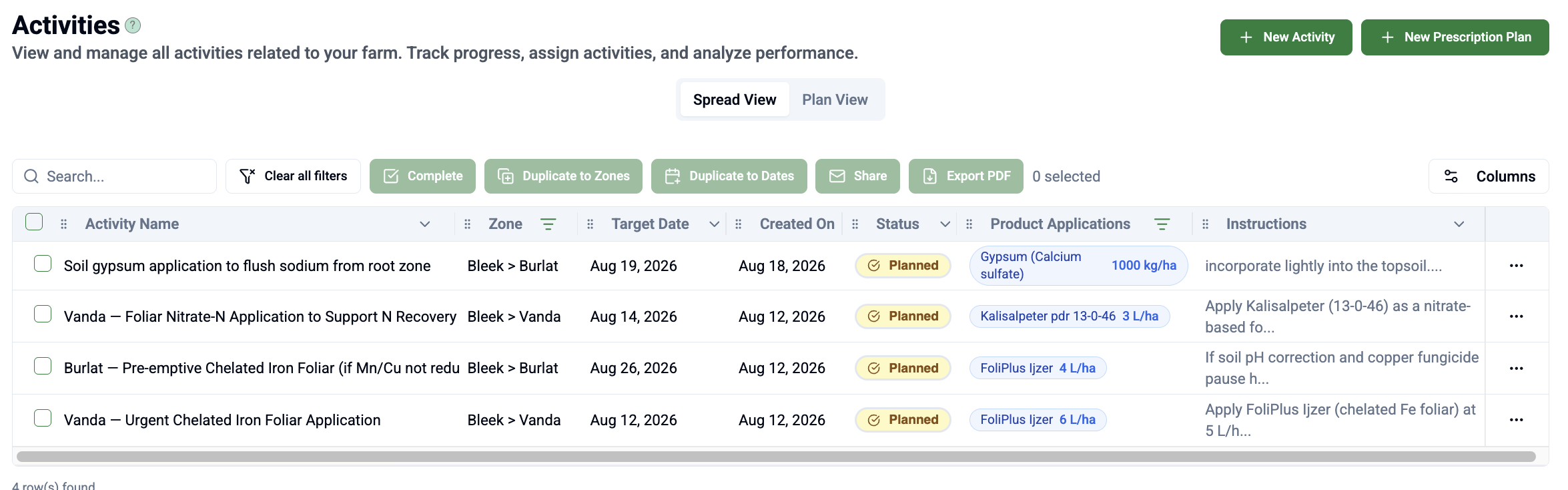
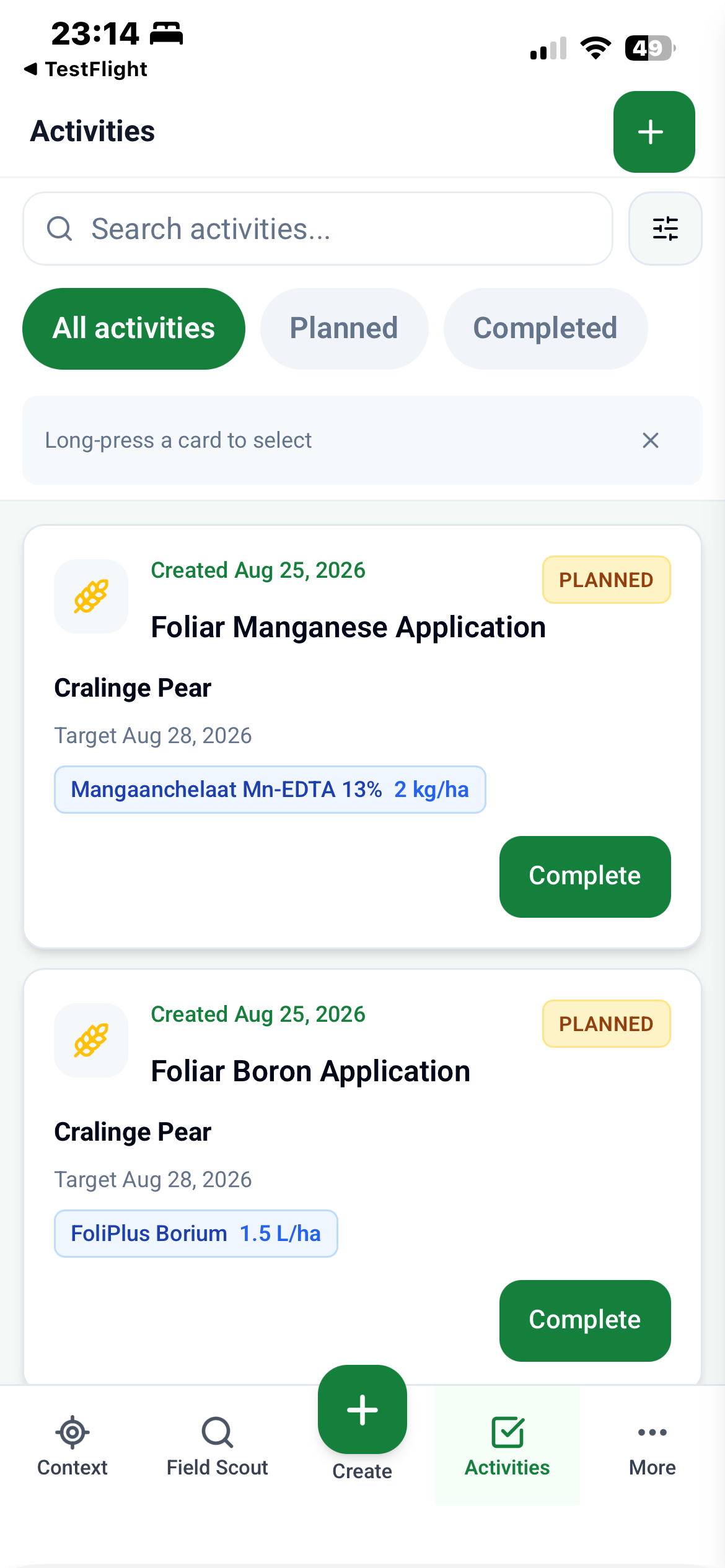
When a recommendation is ready and published, its fertilization and crop-protection activities appear on the farmer’s Activities screen — without having to create the tasks again.
The grower can see the planned work and record it as done after completion. A planned activity and a recorded completion are different facts.
Activities can also be assigned to field technicians, keeping the recommendation and the people carrying out the work connected.
Review recorded applications alongside your published recommendation and later observations. Confirm unclear details with the grower before treating a completion record as the full application history.
A clear list of what needs doing, with less administration and a simple way to confirm when the work is complete.
Less time translating recommendations into separate tasks, easier delegation and a clearer view of what happens after the advice is published.
Published advice creates activities. Growers record completion, and that update adds context for the next decision.
→Questions about SoilBeat
You approve every recommendation. Your methods stay yours. Your data stays yours.
The Advisor plan includes 20 managed farms, two Field Users, 25 recommendation reports and 50 Integrated AI questions per month, for €995 per year or €90 per month. You can add managed farms at €15 per farm per year, so you are not capped at 20. How many clients you can serve in practice depends on visit frequency, crop complexity and review time. See current pricing and allowances.
Yes. You can reuse your own formula-based prescriptions, rate limits, multipliers, selected products and report templates, and build field or multizone recommendations from them. You review and adjust every recommendation before publishing. Available configuration depends on your workspace and plan. Explore recommendation workflows.
Your grower sees the recommendations you publish, with the explanation and field instructions you include, plus a simple list of activities to carry out. They can mark work as done, so you can see what was applied. They don’t see your underlying formulas. See how advice becomes tasks.
Yes. You can share a farm with colleagues who accept your invitation; they currently get read, write and delete access to that farm’s data (a read-only role is not available yet). For a team of three or more agronomists who want pooled farm capacity, shared templates and common review standards, the Organization plan is built for that. See how teams work in SoilBeat.
Yes, where report branding is configured for your workspace: SoilBeat supports report styling and organization branding, including white-label options where configured. Confirm which logo and report-template options are included in your plan; the organization white-label edition can also configure the wider platform identity, methods and integrations around your advisory service. Discuss your report branding requirements.
Customers keep ownership of the farm data they upload. You can export structured lab data to Excel, graphs as images and recommendation reports as PDFs at any time. For a complete workspace transfer, the SoilBeat team can tell you which files and histories can be provided for your account. We also sign a mutual NDA before you share proprietary methods, formulas or commercial details. Read our privacy policy.
The agronomist reviews and approves AI-drafted advice before it is shared with the grower. Integrated AI can help investigate connected evidence and prepare a draft, while you check the interpretation, calculations, products, rates and field-specific instructions, add your own observations, and decide whether the proposed recommendation is ready to publish. Explore agronomic intelligence and review.
SoilBeat reads supported laboratory-report formats, including soil, plant-sap, tissue and water results, from PDFs, PNGs and JPEGs. Compatibility depends on the laboratory, report layout and parameters; check the supported-reports page for your format, and review extracted values, units, methods and sample details before using the data in a recommendation. Check supported laboratories and reports.
SoilBeat can take over repeated lab-data entry, chart preparation and recommendation workflows by keeping reports, field history, selected products, activities and follow-up in one connected record. You can still export structured laboratory data to Excel for calculations or analysis outside SoilBeat; decide which existing spreadsheet methods to retain and which supported workflows to move. Explore connected farm records.
Agworld is a farm planning and record-keeping platform built around crop plans, work orders and compliance. Cultra is AI software that turns lab reports into fertility plans. SoilBeat connects lab results, your own recommendation methods and grower follow-up across many farms. Our comparison pages set out features and published pricing side by side, with a source for every row. Compare SoilBeat with other tools.
Independent research and extension guidance support the need for connected evidence and field-specific judgment.
These sources describe the advisory work SoilBeat is built to support. They are not studies of SoilBeat itself.
Start with one field, bring the evidence together and prepare recommendations using your own methods. Keep the grower’s actions and new observations connected for the next decision.